Pharmacy Notification
Enabling or Disabling Pharmacy Notifications
To enable or disable pharmacy notifications for new appointment bookings, follow these steps:
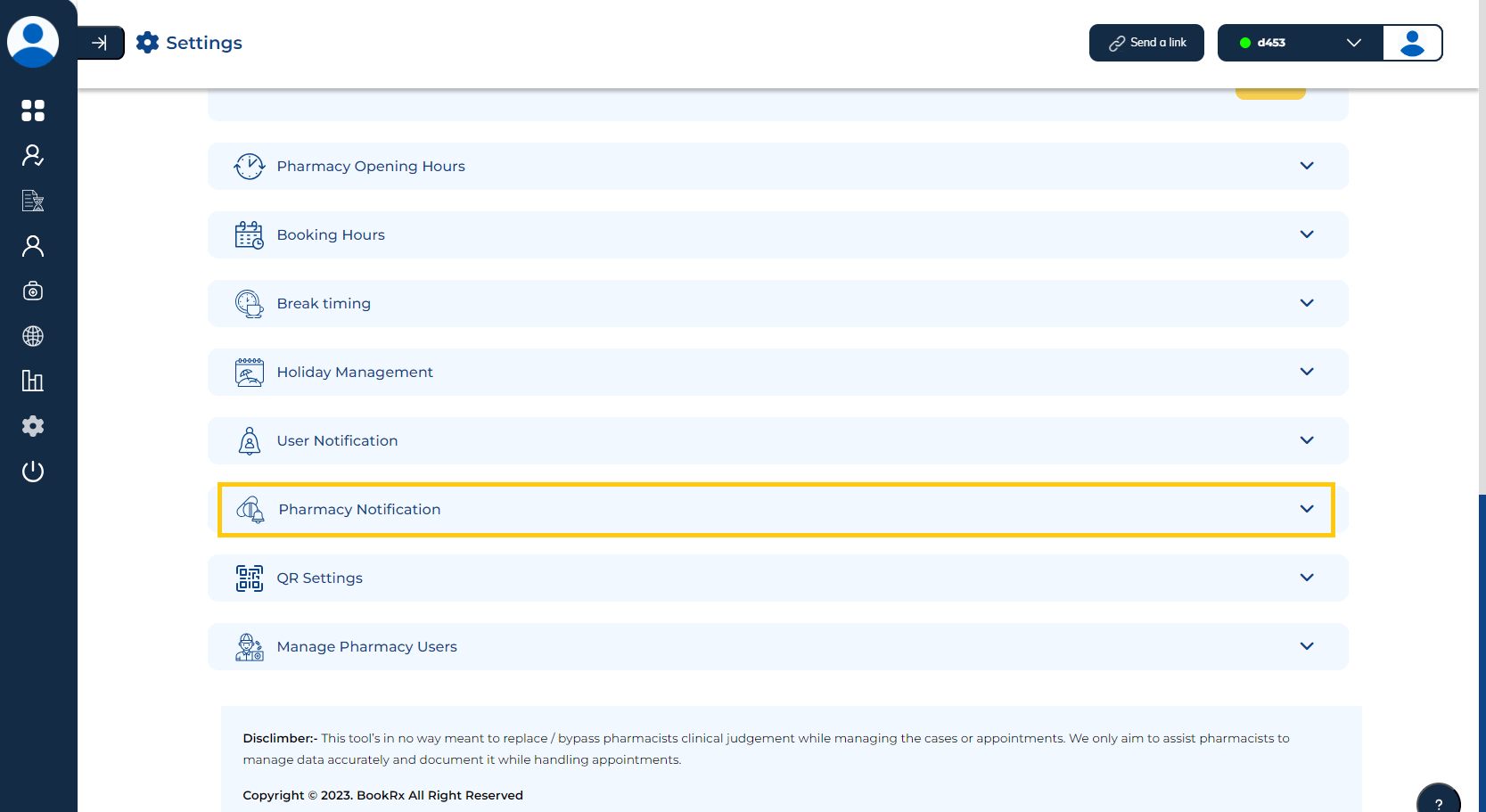
Step 1: Access Pharmacy Notification Settings
- Click on the dropdown menu located within the "Pharmacy Notification" tab.
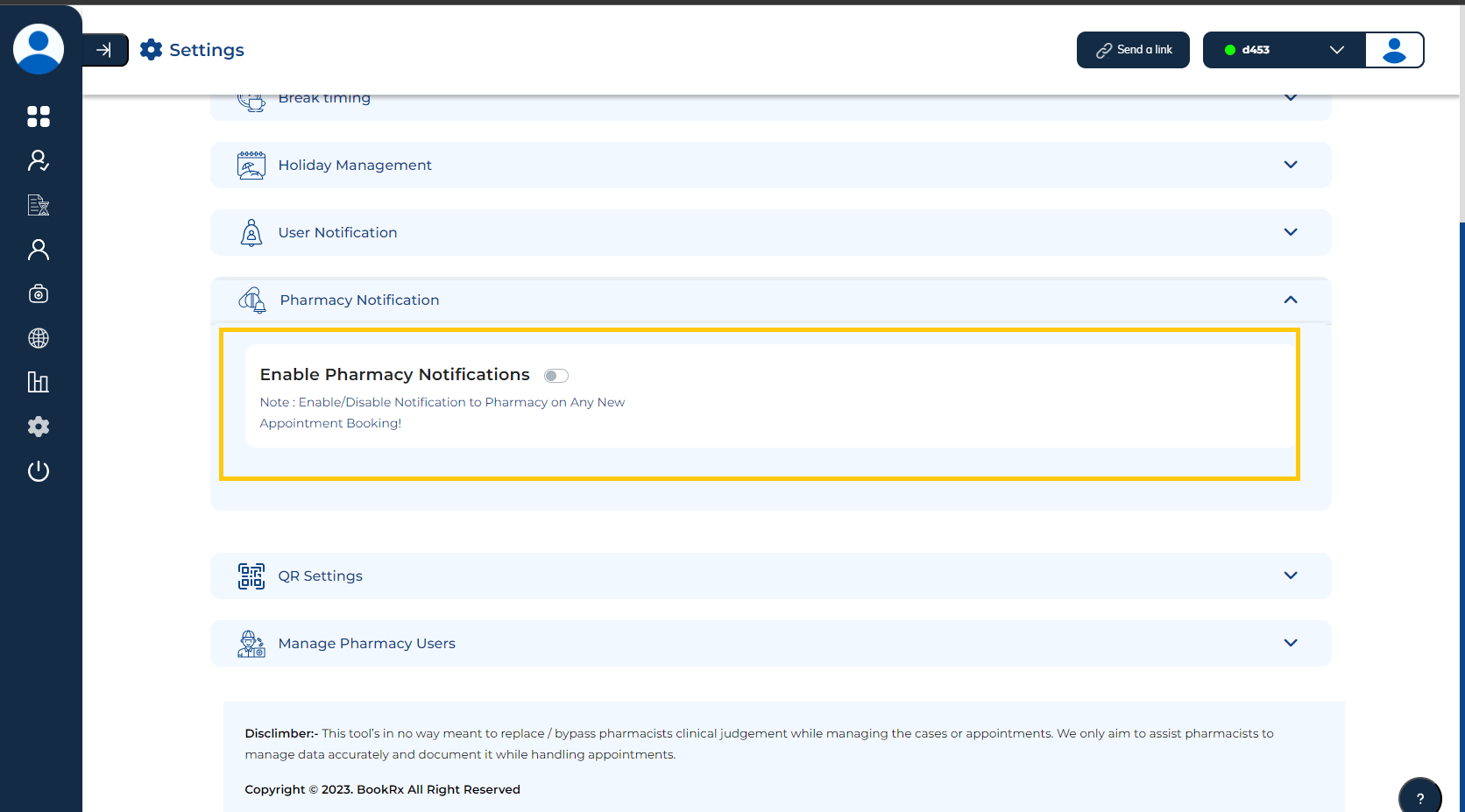
Step 2: Toggle Notifications
- You can utilize the "toggle" switch to enable or disable pharmacy notifications.
These steps will help you manage pharmacy notifications for new appointments through the BookRX platform.